
MaximOps · store and warehouse staff · Android phones and PDT handhelds
Counted in the aisle, received at the dock, never written up later.
Most stock error is timing error: the count done from memory, the delivery keyed in at the desk two hours on. MaximOps finishes the document where the work happens, on an Android phone or a rugged PDT. Online it is a real document; offline it waits as a draft and uploads later.
Seven Taj hypermarkets run MaximOps on PDT handhelds · Works offline, drafts upload as numbered documents · Device ID on every document
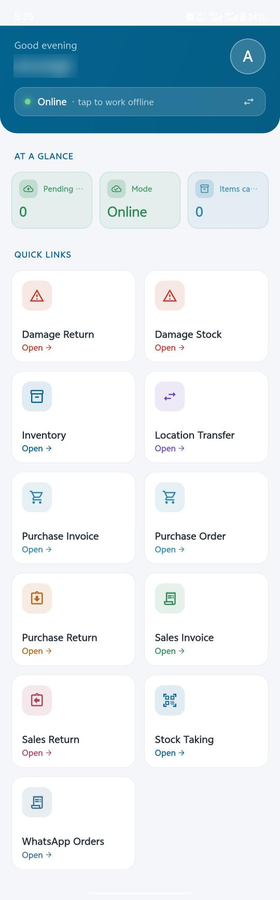
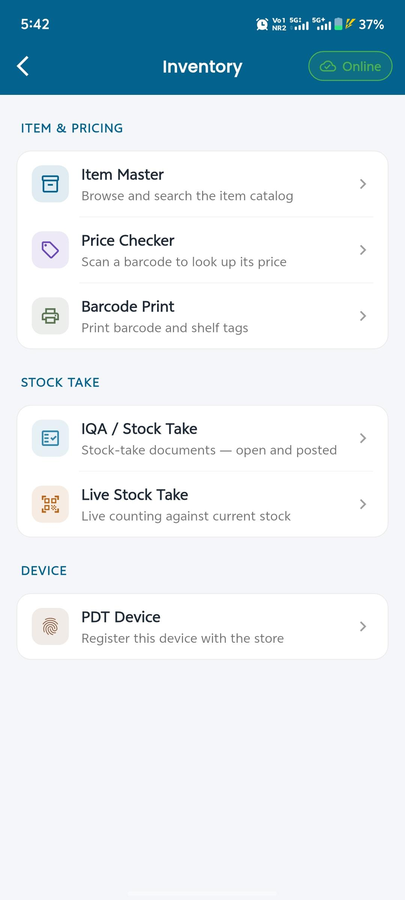
GRN, stock-take, transfers and returns, from the device in their hand.
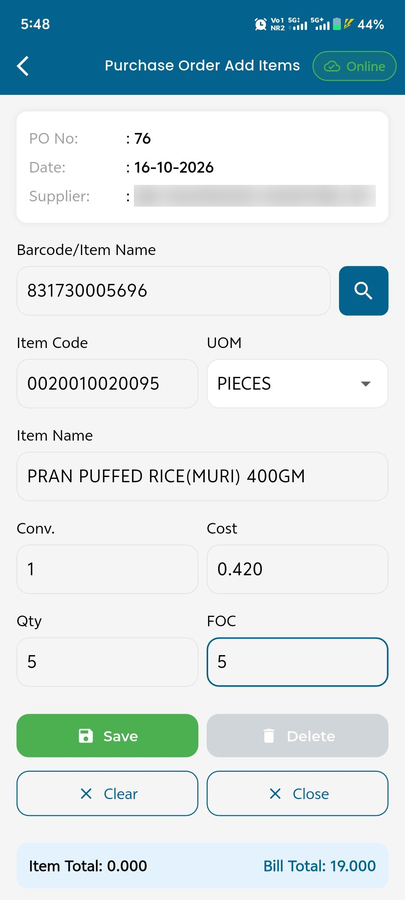
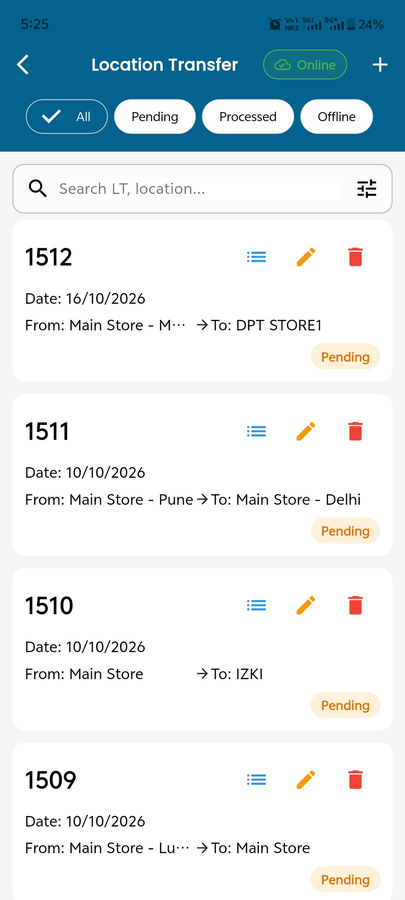
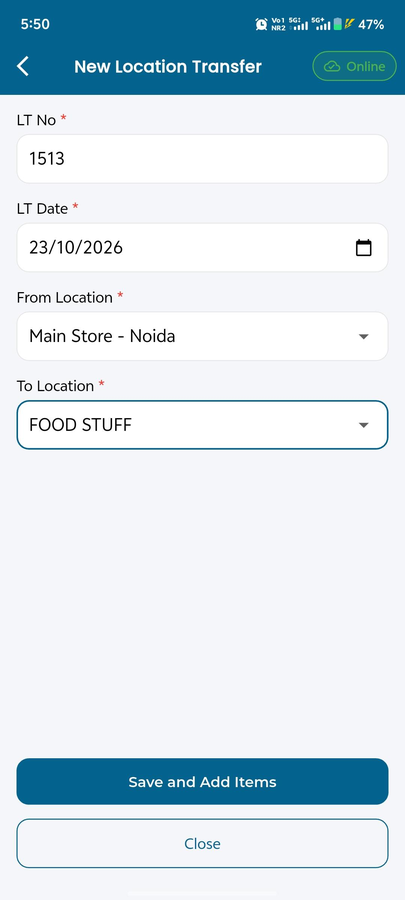
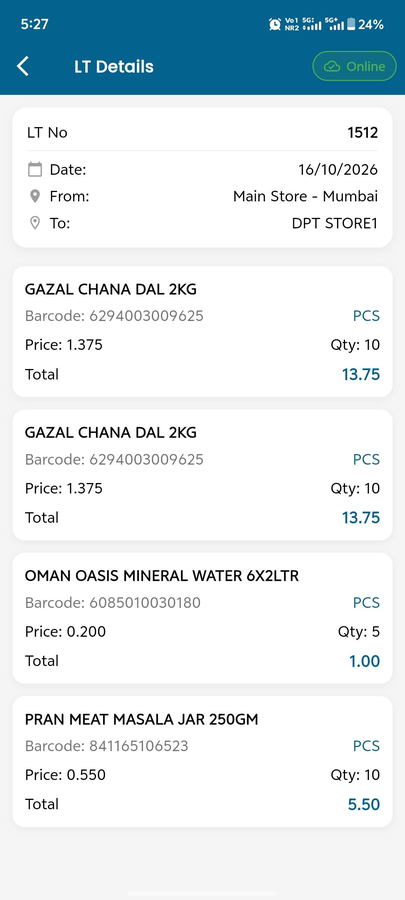
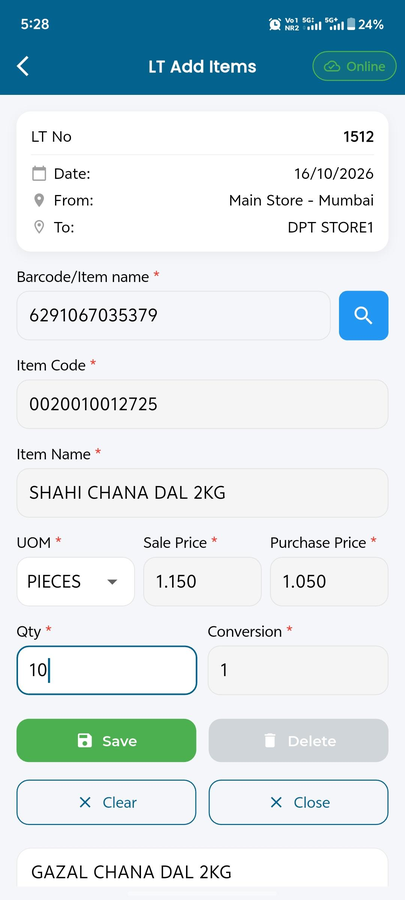
A delivery at the dock, a count in the aisle, a transfer to the next store, a damaged carton back to the supplier: each is a document the staff finish where they stand. Every module works the same way: fill the header, add items by search, barcode or camera, save each line.
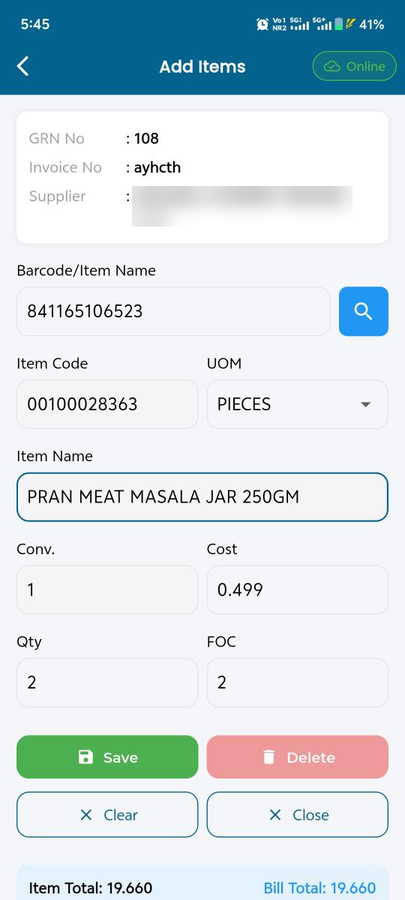
Buy and receive
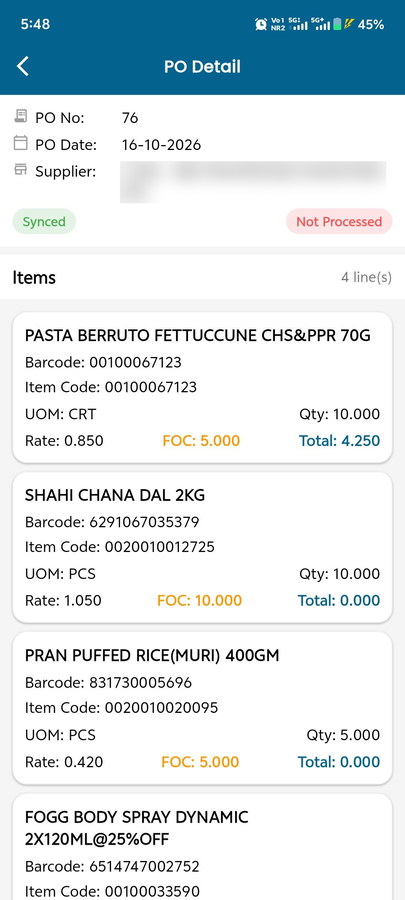
Raise a purchase order, receive as a GRN against it or as a cash purchase, free quantity included. Supplier returns go out as a GRV.
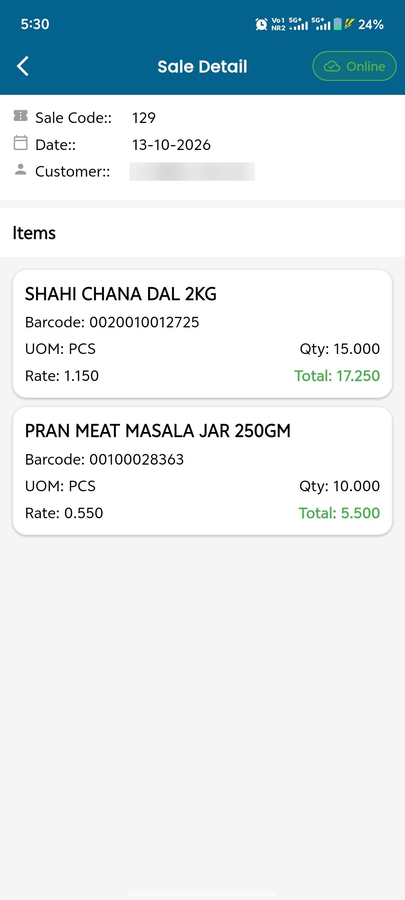
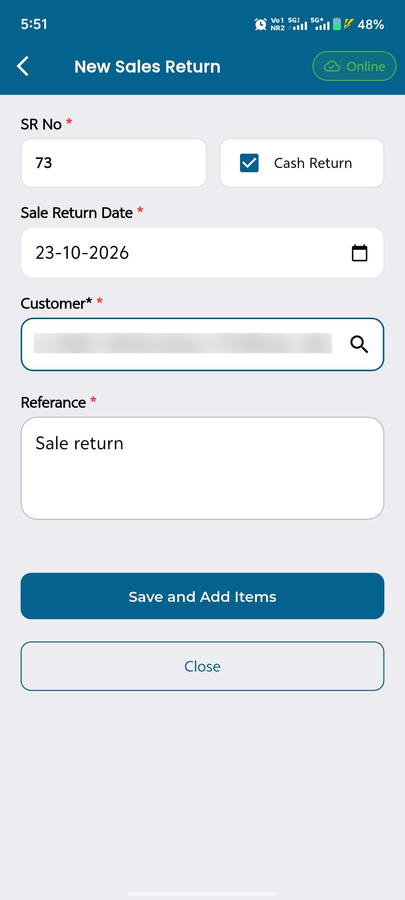
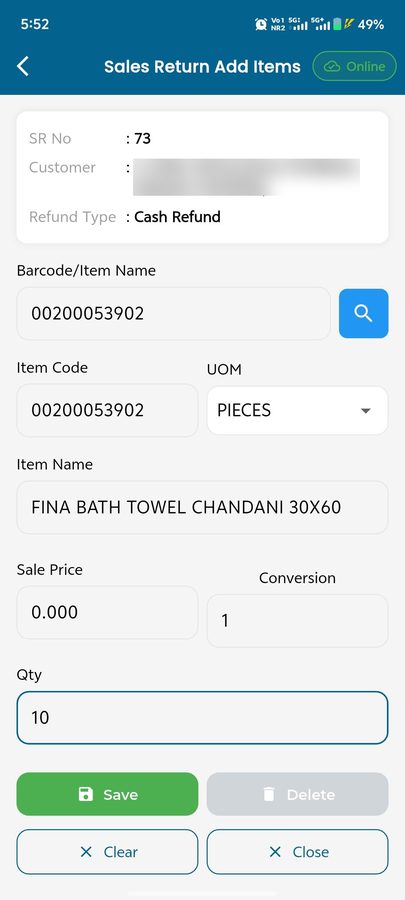
Sell and take returns
Sales invoice with customer, location, cash or credit. Customer returns come back as a Sales Return.
Pick orders
Customer orders from the office appear under Orders. Tick items as you pick, submit when ready.
Move and count
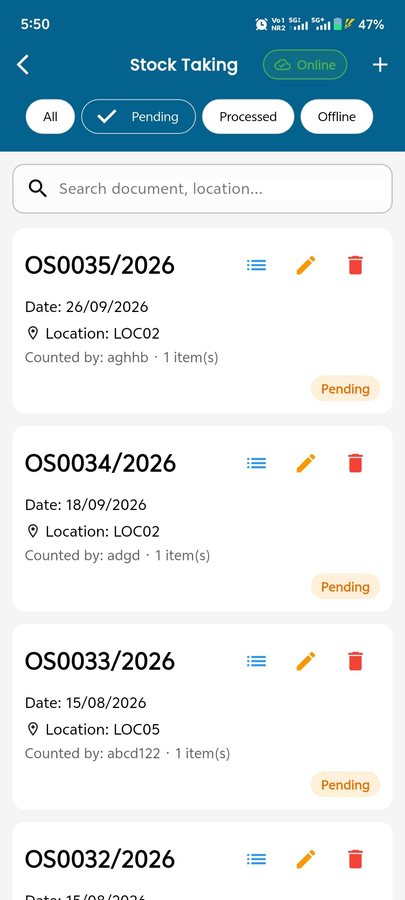
Location Transfer moves stock shop floor to back store. Stock Taking records what you counted. Item Master looks up any barcode.
Handle damage
Damage Stock moves items to a damage location; Damage Return sends them to the supplier, never more than Available.
Online or offline
Online, every save gets a real document number. Offline, work saves as Draft1, Draft2 and uploads when you are back.
Purchasing
Selling and returns
Stock movement
Phones and rugged handhelds
Runs on phones and rugged PDT handhelds.
On a PDT, MaximOps is not a scanner that reads a number. It is a transaction terminal that completes a GRN, a count or a transfer in the aisle, with the validation, locking and audit trail finance expects.
- Same app on a staff phone and on a rugged PDT: same modules, same documents, same device ID
- Items, locations, UOMs, customers, suppliers and open POs cached to the device before you leave coverage
- PDT stock taking, GRN on mobile and store transfers reviewed on the Cloud Portal before posting

Device registration
Each PDT registers to its store with its own ID. That ID, the user and the time stay attached to every document the device creates.
Barcode scanning
The hardware scanner drives every module: scan during a count, a GRN against an open PO, or a transfer. Counted sits next to system quantity so variance is visible before any adjustment.
Price check
Scan a barcode in the aisle for the current price and stock, without walking to a till.
Label print
Print barcode and shelf tags from the device, so a delivery is tagged at the back door.
Offline drafts that upload
Signal or no signal, the document completes where the work happens. Drafts wait on the Offline tab and upload as real numbered documents; retrying never duplicates.
Offline, done deliberately
Offline is a mode you choose, not a failure you discover.
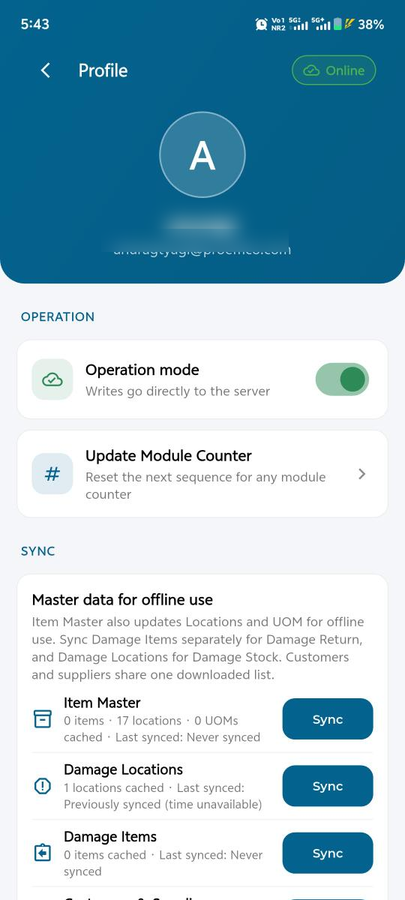
Download items, locations, customers, suppliers and open POs from Profile before you go out of coverage. The Offline tab shows every draft waiting to upload; retrying never duplicates one that already went through.
Frequently asked
Who is MaximOps for?
Store and warehouse staff in a MaximPro outlet. The home screen shows only the menus your role has. It is not a public app.
Is the PDT a different app?
No. MaximOps is one app. On a rugged PDT handheld it uses the hardware barcode scanner and the label printer; on an Android phone it uses the camera. Same modules, same documents, same device ID.
What happens without internet?
Switch to Offline in Profile and keep working. Drafts save on the device and become real numbered documents when you upload. Do not clear app data before uploading.
What do I download before going offline?
From Profile: items, locations, units, customers, suppliers, and open purchase orders if you will receive against them.
How does the office know which device made a document?
On first use the app asks for a PDT ID, a name for this phone or handheld, registered to the store. It stays attached to every document the device creates, with the user and the time.