
How it works · A central warehouse for your retail chain, managed on the cloud
A store runs short. The warehouse ships. You watch it move without making a call.
Goods arrive at the warehouse, move to stores on request and sell at the counter, in the app or on WhatsApp. Every hand-off is a document on one system, so nobody has to describe where the stock is.
Seven Taj hypermarkets: one warehouse, seven stores, every document traceable to a device · Bills offline at the till · GST with HSN on every line
Supplier
Goods ordered and delivered
- · Purchase order
- · Goods receipt (GRN)
- · Supplier return (GRV)
Central warehouse
Managed on the cloud
- · Approve store LPOs
- · Transfer to store
- · Supplier invoice & payment
Store
Receives, stocks, requests
- · Confirm receipt
- · Stock request / LPO
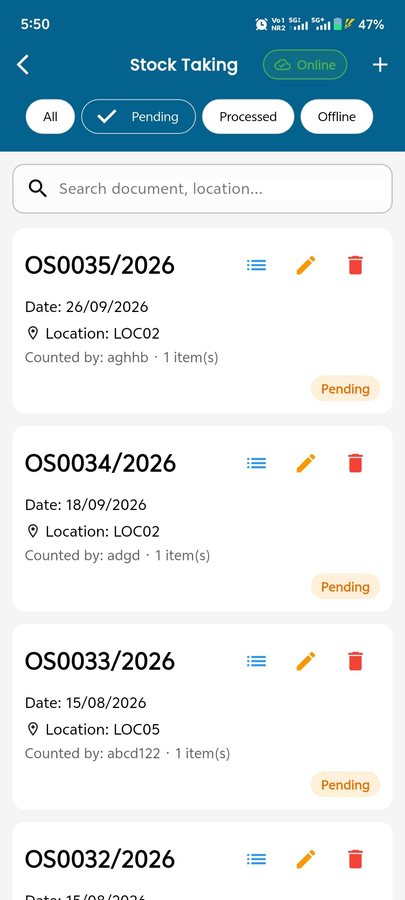
- · Count, adjust, damage
Sell
Three ways to a sale
Counter· Windows POS, offline
Shopper app· nearest store, coupons, points
WhatsApp· inbox → order → invoice
Customer
Pays, collects or gets delivery
- · Delivery status
- · Loyalty points & cashback
- · Returns & refunds
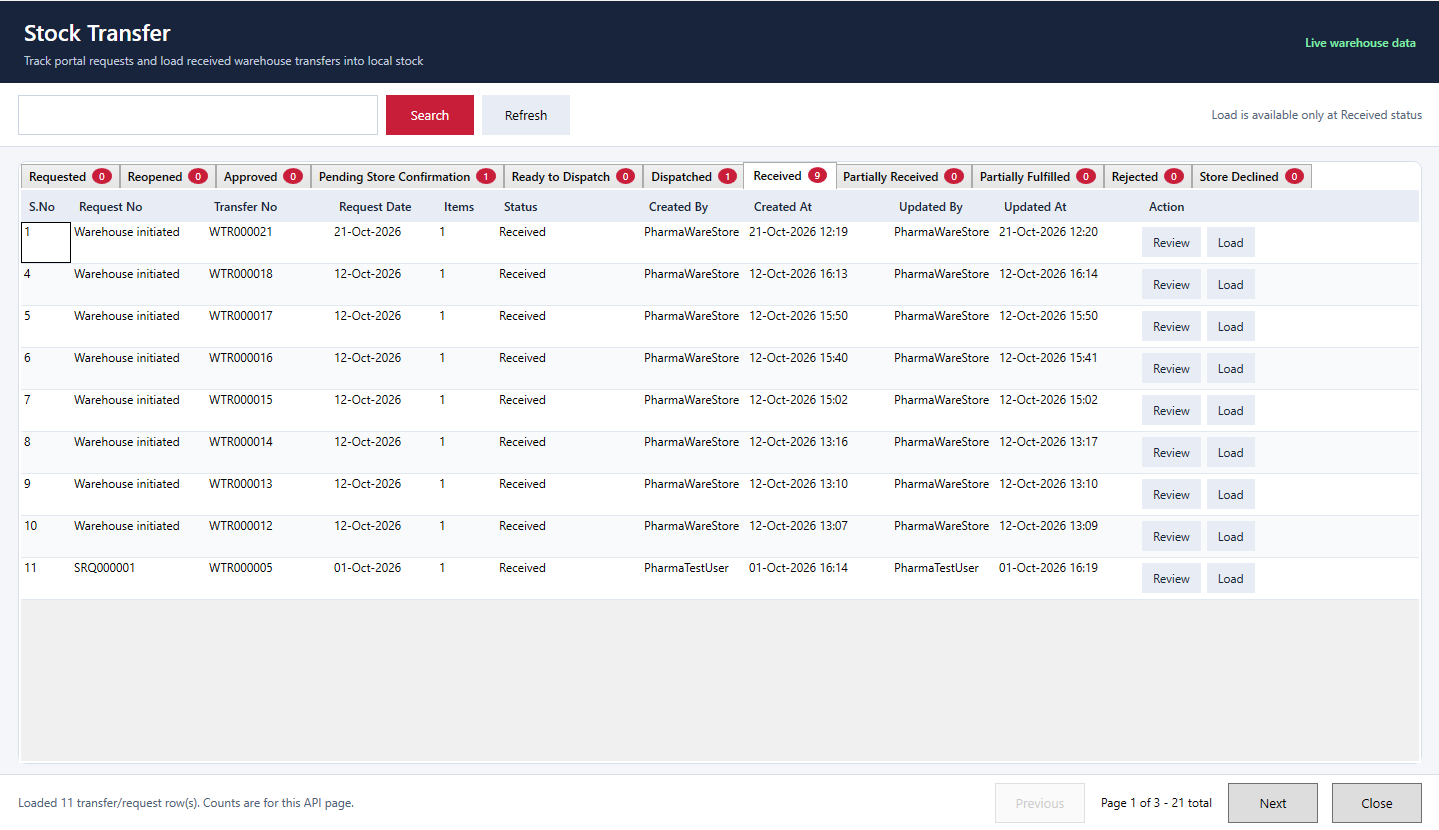
⟲ Store asks: low stock → stock request or LPO → warehouse approves → PO or transfer → dispatched → received. Tracked end to end.
The LPO loop
A store asks. The warehouse decides. Everyone sees where it is.
Two in the afternoon, a branch is low on a fast mover. Five steps, each a document with a status, none of them a phone call.
- 1
Store raises an LPO
Low stock, store picks items and quantities.
- 2
Warehouse approves
Reviews, approves or rejects; rejected requests can be reopened.
- 3
PO or own stock
Supplier PO and GRN, or stock already on hand.
- 4
Transfer dispatched
Created, approved, shipped. Partial receipt supported.
- 5
Store receives
Store confirms; its stock and the HQ reports update.
Under the hood
Offline billing software at the store. One inventory at HQ.
Local database at the till
Sales, returns and payments post locally, so billing never waits on the network.
Warehouse on the cloud
PO, GRN, GRV, approvals and transfers are cloud documents visible to every store.
Events keep them one system
SaleCreated, InventoryUpdated, TransferCompleted and similar events sync stock and reports.